


Magazine
An audiobook in the kitchen, the TV audio coming through the living room speakers, and your favorite playlist upstairs: With sonoro Multiroom, you can enjoy all of these at the same time, with different sources and volume levels. This article explains what sonoro Multiroom is, who it’s for, and what you’ll need to get started.
What is sonoro Multiroom?
sonoro Multiroom is our proprietary wired solution that allows you to connect compatible sonoro music systems across multiple rooms. Music is transmitted over the network (LAN), not via WiFi. In addition to streaming content, you can also use a TV’s HDMI audio and Apple AirPlay as sources. Playback can be synchronized across multiple rooms or customized for individual areas.
Since data is transmitted via network cables, it is not affected by radio interference or range limitations. It is lossless and operates without latency. An existing Internet connection is not required for operation.
Who is sonoro Multiroom best suited for?
sonoro Multiroom is designed exclusively for wired networks. It is particularly well-suited for
- New construction projects in which audio planning is taken into account from the very beginning,
- Professional installations and permanent installations in which the music systems are permanently installed in one location.
Whether for personal or commercial use, sonoro Multiroom can be used in homes as well as in hotels, restaurants, gyms, wellness centers, and recreational facilities.
Which devices are compatible?
Compatible devices include the All-In-One, and Hi-Fi systems, as well as the sonoro AMPLIFIER and sonoro STREAMER for 19-inch rack installation. All compatible devices can be combined to create a customized audio solution tailored to the room, intended use, and installation. You can find the current overview on the sonoro Multiroom.
What You Need for sonoro Multiroom
- Compatible Sonoro music systems: seeabove
- One LAN connection per music system: Each device is connected to a multicast-capable router via a network cable (Cat 6 or higher). A music system that is connected only via WiFi cannot be added to a sonoro multiroom group.
- Optiona: A suitable switch:A switch connects multiple devices via network cables and is connected to the router. For additional network switches, we recommend a managed switch with IGMP snooping and QoS enabled. Both features support stable, interference-free transmission.
- The sonoro audio app: It's available for iOS and Android and should always be up to date to ensure trouble-free use of sonoro Multiroom.
How sonoro Multiroom Works in Everyday Life
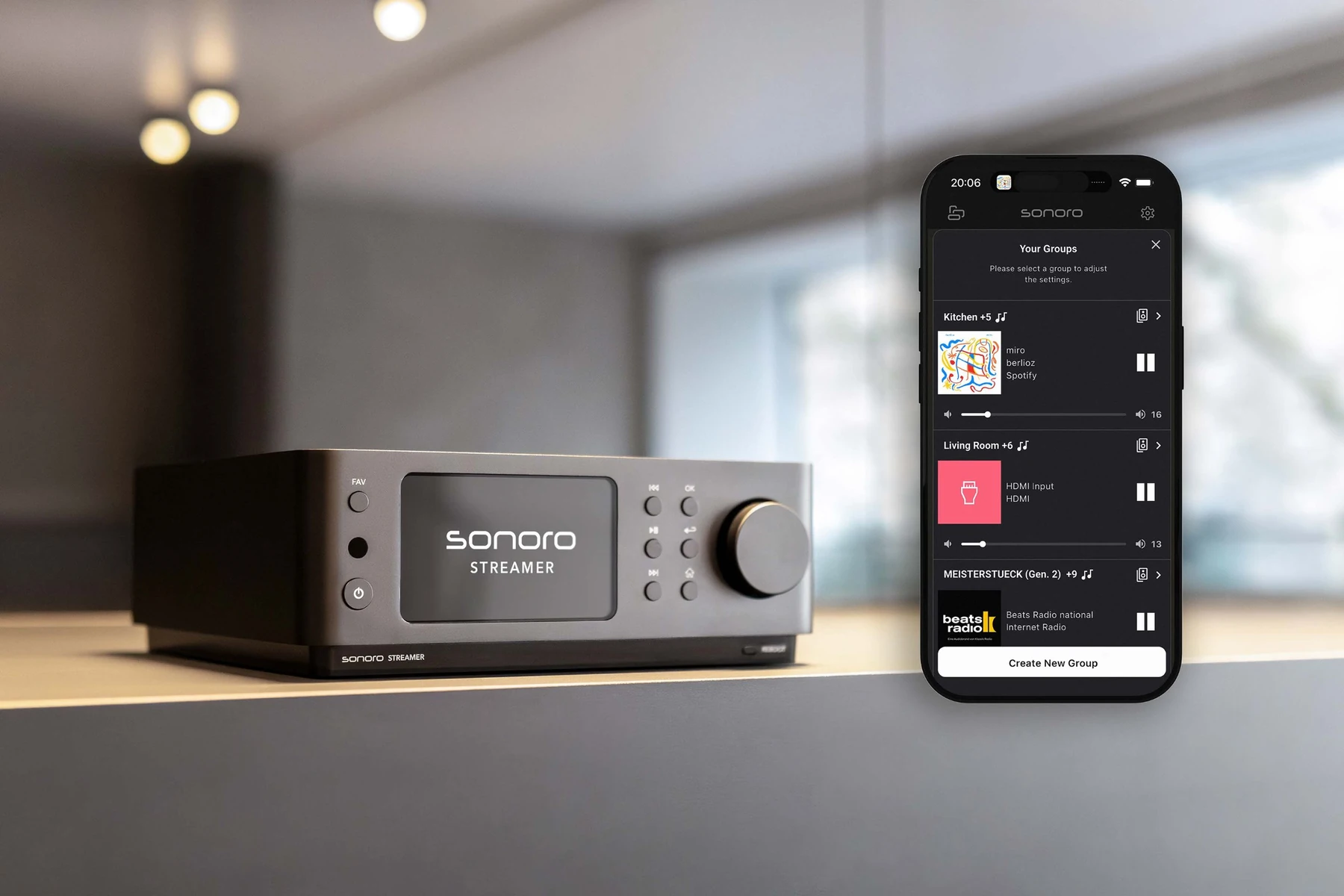
In the sonoro audio app, you can group your desired music systems together. The device you select first sets the music: The source playing on that device is also played in sync on the other devices in the group. You can create multiple groups—up to 16, depending on your network infrastructure—and edit existing groups later. The overview shows you at any time which groups are active and what is playing on them.
Each device retains its own volume setting, and there is also a shared group volume. The devices in a group can be turned on and off together using the app. Individual devices can be turned off independently without interrupting playback in the other rooms.
Alternatively, sonoro Multiroom can be controlled via smart home systems. Depending on the system, various functions are available, such as turning all devices in a group on or off at the same time. Compatible systems from our partners include Busch-free@home®, Gira HomeServer and X1, as well as JUNG Smart Visu Server. Learn more on the page Smart Home.
Conclusion
sonoro Multiroom is designed for anyone who wants to listen to music in multiple rooms via a stable, wired network, especially in new construction projects and permanent installations. A LAN connection is required for each music system. If additional network switches are used, we recommend a managed switch with IGMP snooping and QoS. You can find all the details about compatible devices on the page sonoro Multiroom.
